

The best way to turn a Twitch or Kick stream into short clips depends on the help needed. Built-in clip features suit small jobs. An editor can handle regular cuts. A managed service can also help pick moments and post them. The right choice depends on which tasks need to change hands.
A long stream may have several moments worth sharing. Finding them, making each one clear, and getting them posted all take time. This guide explains how to compare the work, test an editor, and judge the results.
Compare the main options in 2026
There are several ways to make clips from a stream. The creator can do the work, hire an editor, or use a service that handles more steps. A shared setup can work too. Start by finding the task that takes the most time or keeps clips from being posted.
Built-in clips and self-editing
Twitch and Kick both let people save short parts of a stream. These features can be enough for a creator who already knows which moments to share. They also offer a simple way to learn the steps before paying someone else to help.
Twitch's guide describes clips up to 60 seconds long. It supports wide and upright versions, with controls to change the crop. A suggested layout can keep the face camera and game in view. The creator can check and change that layout before sharing it. See Twitch's guide to making clips.
Kick's clips can run from 10 to 180 seconds. They can come from a live stream or a saved broadcast. Its help page also explains how to download them as MP4 files. See Kick's clip guide, updated in June 2026.
These features save part of the video. A person still needs to decide whether that part makes sense. A joke may depend on something said earlier. A game clip may leave out the move that caused a big reaction. Saving the moment is only part of the job.
Doing the work in-house gives the creator close control. It also takes time after the stream ends. A setup that feels easy during a quiet week may be hard to keep up during an event. That is worth testing before choosing a long-term plan.
Editors and managed services
An editor can take over a clear set of tasks. Some work from times marked by the creator. Others watch the full stream and suggest clips. Posting may be included, or the editor may hand back files for the creator to post.
| Option | Work it may cover | Work that may stay with the creator | What to check |
|---|---|---|---|
| Self-editing | Every step | Every step | Whether there is time to keep it up |
| Freelance editor | Cutting, captions, and other agreed edits | Picking moments, review, and posting | Whether full-stream review is included |
| Managed service | The agreed steps from clip choice to posting | Briefing and final review | The exact tasks and accounts covered |
| Shared setup | Different people own different steps | The assigned tasks | Who handles each handoff |
These are ways to divide the work, not fixed rules for every provider. A solo editor may offer more help than a service with a large team. A package called managed may cover less than its name suggests.
Practical rule: Compare the tasks included before comparing the number of clips.
A shared setup can grow over time. The creator might pick moments at first. Once the editor knows the stream, that task can move to them as well. A small start makes it easier to learn what each person does well.
List the work that needs to be done
A clear job brief states where the video comes from, who picks the moments, and what files should be returned. It also names the person who reviews and posts the clips. These details help providers quote for the same work and reduce confusion once editing has begun.
Define the starting point and finished job
A marked moment and a full stream are different starting points. An editor given a clear start and end time can begin with the cut. An editor given a long broadcast must first watch it and choose what to use. That extra work should appear in the quote.
A simple brief can cover these steps:
- Name the folder or place where the stream files will be shared.
- State whether the creator will mark the best moments.
- Name the audience and the sites where clips will appear.
- Describe the needed files, captions, and crops.
- Name the person who checks the finished work.
- State who posts each clip and fixes errors after posting.
It also helps to define what counts as one clip. A wide and upright version of the same moment may count as one job or two. A second opening may be a revision or a new cut. There is no need to guess if the agreement spells it out.
An accepted clip should meet the brief and be ready for its next step. That could mean ready for the creator to post, or ready for a final check. The difference matters when comparing the number of files a service promises to deliver.
Examples can make the brief easier to follow. Include a clip that works well and explain why. Add one that does not work. Perhaps it cuts off the question, hides the action, or uses words that do not match what was said.
These notes need not become a long rule book. A short list of common mistakes can save repeated messages later. Update it when a new issue comes up rather than trying to predict every possible edit in advance.
Give each moment enough room
A clip needs enough detail to stand on its own. A viewer should be able to follow it without watching the whole stream first. That may require a short setup before the main event. It may also mean cutting a slow opening that adds little.
For a game, the setup might show the score or the problem the player faces. For a chat clip, it might include the question that led to the answer. The goal is to keep the meaning while removing parts that do not help.
The site's length limit is a separate check. YouTube now allows Shorts up to three minutes under its stated rules. Older advice that says all Shorts must fit within a minute is out of date. YouTube also says Shorts over one minute with an active Content ID claim are blocked worldwide. Content ID is its system for matching uploaded material to protected content. See YouTube's guide to three-minute Shorts.
A length limit does not mean every clip should be that long. The story should decide the cut. Then the finished file should be checked against the rules of the place where it will be posted.
Check the quality of the clips
The clearest way to test an editor is to use familiar footage and a small, paid job. Check whether each clip is easy to follow, keeps the meaning, and needs few fixes. Effects and captions can improve a clip, but they cannot fix a poorly chosen moment.

Check meaning, framing, and sound
Watch the first cut without asking the editor to explain it. A new viewer will not have that help. If the clip only works after someone adds a spoken explanation, it may need more setup or a different start point.
For example, a player may cheer after a move that looks ordinary. Fans know it ends a difficult challenge. Other viewers may not. The editor can include the needed detail before the move. If that takes too long, another moment may make a better clip.
Read the captions as well as listening to the audio. Names and game terms can be wrong even when the rest is clear. If several people speak, the text should not make one person's words look like another's. A list of common names can help avoid these errors.
Check the crop on a phone. A large face camera may hide the part of the game that matters. A wide game view may make the player too small to see. The layout should support the event being shown. One layout may not suit every moment.
Sound needs its own check. Speech should be easy to hear without turning the volume up and down. Added music should not cover the words. Any music used also needs the right permission for that use; adding it to an edit does not settle that issue.
A useful review order is:
- Check that the story makes sense.
- Check that no cut changes the meaning.
- Read names and captions for errors.
- Watch the crop on a small screen.
- Listen through a phone speaker.
See how the editor handles notes
The first cut is only part of the test. Ask for a clear change and see how the editor handles it. Good notes explain the problem: a cut removes the setup, a caption uses the wrong name, or the layout hides a key move.
Keep errors separate from taste. A wrong subtitle is an error. A preferred caption color is a style choice. A different opening may need a discussion about the story. Treating all three as the same kind of problem can make review harder.
Field note: Repeated corrections are part of the workload, even when revisions are included in the price.
After the trial, save the choices that worked. These might include a crop, spelling list, or example of a clear opening. That gives future clips a useful starting point and helps a new editor learn the channel if the team changes.
A past portfolio is helpful, but it cannot show the whole process. The original client may have supplied exact notes or asked for many changes. Working with the same source footage gives a more direct view of how much help the creator will need to provide.
Compare costs with a small trial
A useful cost comparison includes the fee and the work left for the creator. A low price per file may be less useful if many files need fixes. A small trial shows how the process works before it becomes a regular expense or a large weekly commitment.
Count accepted clips and review time
There is no single price that fits every clipping job. The cost depends on the footage, the kind of edit, and the tasks included. A quote for trimming marked moments should not be compared directly with a quote for finding and posting those moments too.
One simple measure is the fee divided by the number of accepted clips. For example, a made-up $600 trial with 12 accepted clips works out to $50 each. If only eight are accepted, the same fee works out to $75 each. These figures show the math. They are not market rates or Blowfish prices.
Track the creator's time alongside the fee. That includes finding footage, answering questions, reviewing cuts, and posting files. A service may remove one task but add more review work. Keeping a short time log makes that easier to see.
There is no need to put a dollar figure on every minute. A simple record is enough to show whether the creator spends less time on the job. If saving time was the main reason to hire help, that result should be part of the review.
Practical rule: Count the work that stays with the creator, not just the work listed on the invoice.
Ask about costs outside the main edit. Extra crops, new captions, posting, or storing files may have separate fees. A clear quote should make those terms easy to find. It should also say what happens if the amount of source footage changes.
Keep the trial small and clear
A trial should have a known source file, a defined set of tasks, and an end date. The point is to learn how the work goes. Adding new tasks halfway through can make it hard to judge whether the original plan was useful.
One full stream and a small batch of clips may be enough to start. Choose footage that looks like the normal work. A rare event full of dramatic moments may not show how the editor handles an ordinary week.
Avoid requiring a fixed number of strong moments from every stream. Some broadcasts contain more useful material than others. A clear agreement can allow the editor to flag weak footage rather than force a clip from a moment that has little value.
At the end, review these points:
- Was the agreed work finished on time?
- How many clips met the brief?
- Why did the others need changes?
- How much time did the creator spend helping?
- What needs to change before the next batch?
Early view counts can be recorded too. They should not be the only basis for the choice. A small group of posts cannot prove what future clips will do. The trial can show whether the service works well and produces clear edits, even before a longer pattern of results exists.
Set up review and posting
A finished file still needs someone to check it and post it. The plan should name that person, list the accounts, and state how changes are handled. Without those details, clips can sit unused or appear online with text that the creator never saw or approved.

Make the handoffs clear
A shared list can track each clip from selection to editing, review, approval, and posting. Each step should name the person handling it. A link to the current file helps prevent someone from using an old version from a message thread.
The review should include the words posted with the video. A clear edit paired with an unfair title can still change its meaning. If the title or video changes after approval, the team should follow the agreed review process again.
Time-sensitive clips need a plan too. A creator may allow some familiar formats to go out without another check. Other topics may always need approval. Put those rules in writing so no one has to guess what a delayed reply means.
Also check whose accounts will carry the clips. Posting on the creator's own page is different from placing clips through a wider network. The plan should name the accounts or explain how placements are selected. It should state what records the client will receive.
Blowfish reports a network of over 1,000 clippers. Its work includes putting brands into sports and gaming clips, cutting long videos into short formats, and placing songs over viral moments. Those are different types of work, so a project brief should state which ones it includes. The network size alone does not tell a client how many clippers or posts a given project will use.
A correction plan is useful once clips are live. Name who can fix a caption or remove the wrong upload. Keep the approved version and its notes so the team can check what changed. This avoids trying to rebuild the history from memory.
Share only the access needed
Someone who only edits files may not need access to a social account. If posting is part of the job, use the site's supported access settings where possible. The role should fit the task and be removed when that task ends.
YouTube says channel permissions are “safer than sharing your password.” Its Editor role can upload and publish, while Editor (limited) excludes revenue data. The right choice depends on the job. See YouTube's channel access guide.
Other sites have their own controls. Check those rather than assuming every account works the same way. A person who only needs results may be able to work from a report instead of having access to the account itself.
Practical rule: Give access for the agreed work and remove it when that work ends.
The end of a project needs a handoff as well. Agree on where final files, captions, and posting records will be stored. That makes it easier for the creator or a new editor to keep the process going.
Keep useful records of results
Good records show both how the work went and how viewers responded. Count accepted clips, review time, and missed dates alongside viewing results. Keep the account, date, and type of measure attached to each result. A single large view count leaves too much of the story out.
Separate work quality from reach
Work quality includes clear edits, accurate captions, and reliable delivery. Reach describes how widely a post was seen. They relate to each other, but they are not the same thing. A useful report gives space to both rather than treating one as proof of the other.
State what the clips are meant to do. A short game tip may be useful on its own. A clip from a weekly show may help people learn about that show. The goal affects which results are worth tracking and which changes make sense.
Compare posts over the same amount of time. A clip posted this morning has had less time to be seen than one posted weeks ago. Keep that difference visible. The same applies to posts on different accounts with different audiences.
View counts also depend on the site's rules. On March 31, 2025, YouTube changed Shorts views to count starts and replays with no minimum watch time. It kept a separate measure called “Engaged views” for people who chose to keep watching. See YouTube's guide to Shorts views.
For reports in 2026, name the measure used. Older numbers and newer numbers may not mean the same thing. A screenshot should include enough detail to show the account, period, and measure. That makes it more useful than a number shown without context.
Use the results to choose the next clips
Watch the clip again when reviewing its results. A slow opening may hold back the main point. A missing detail may make the story hard to follow. Those are ideas to test, not facts that a low view count can prove on its own.
Compare similar clips where possible. A routine chat moment and a major tournament win have different starting points. Their results cannot show the effect of a caption style alone. Several related examples give the team more to work with.
Keep ordinary results in the report too. A provider's best post may show what happened once. The rest of the batch helps show how often the process produces useful work. Both matter when deciding whether to keep or change the plan.
Field note: A popular clip offers something to study. It does not promise the same result next time.
End the review with one clear change for the next batch. That could mean choosing moments with less setup, fixing a hard-to-read crop, or keeping more of the original question. Record the change so the next review can check whether it helped.
Match the clips to the audience
Different audiences need different details to understand a clip. Gaming fans may need the state of the game. Music fans may need enough of a song to follow the passage. Casino-related content needs a check of the intended site's rules before the team promises where it can be posted.
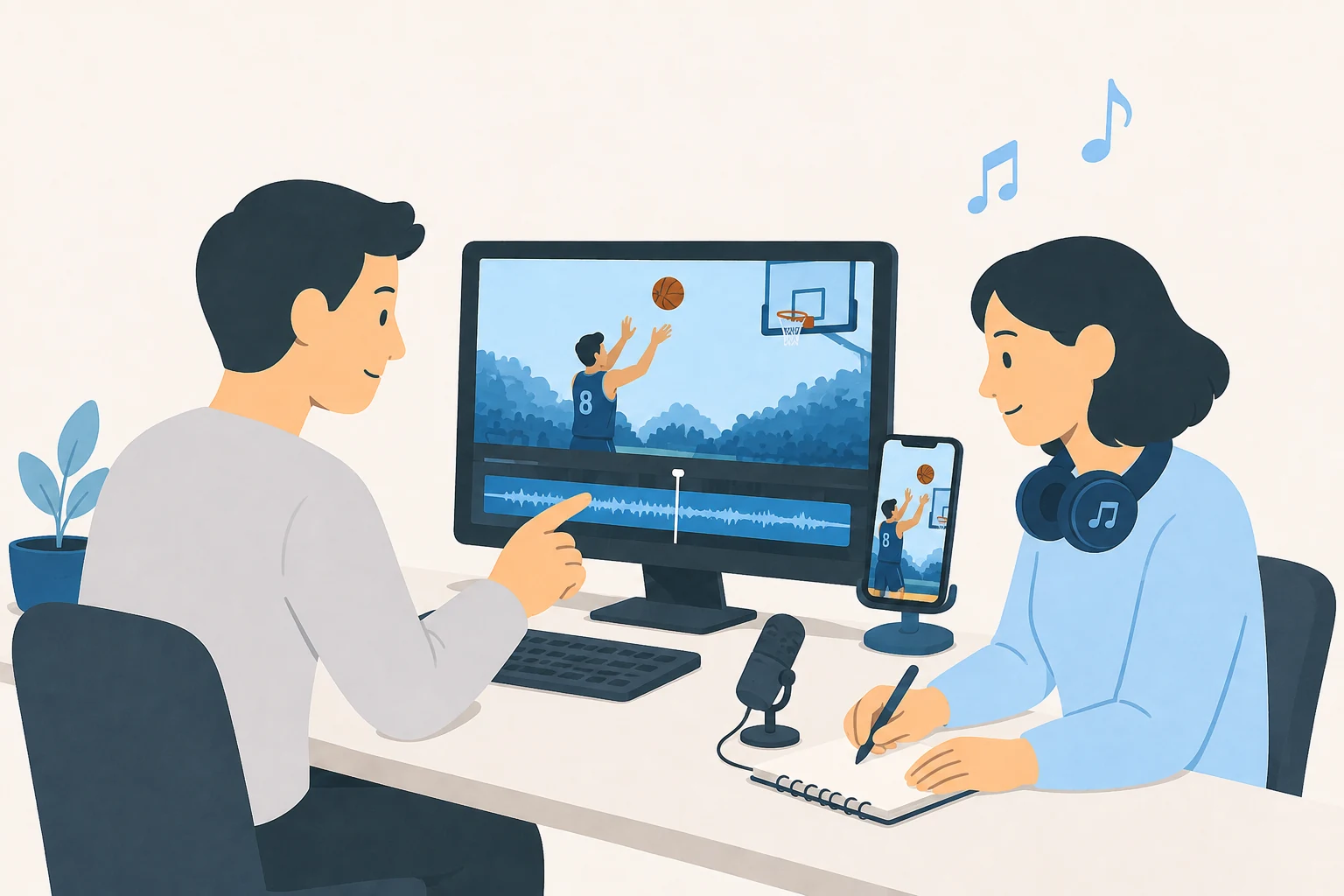
Gaming creators, singers, and personalities
Streamers and gaming creators. The editor should know what makes a moment worth watching. A skilled move may be clear to regular players but confusing to a casual viewer. Define which group the clip is for. That helps decide how much setup to keep and which terms need an explanation.
Singers and social media personalities. A song clip should end at a point that feels complete. A spoken clip should keep the speaker's meaning. Placing a song over a sports or gaming moment is another possible format, but the brief should state the goal and which material may be used. Check the rights to the song and footage before posting.
Online casino brands
Casino-related clips need checks based on the content and the place it will appear. A plan used for general gaming clips may not fit clips that promote gambling. The team should know who decides whether a proposed post is suitable for that site.
For example, YouTube prohibits helping viewers access uncertified online gambling sites. It also prohibits claims of guaranteed gambling returns and sets age limits for some casino-related content. Its policy describes exceptions too. See YouTube's regulated-goods rules. Other sites and local laws need their own checks.
The review should cover the footage, spoken words, captions, and links. A promise to post the same clip everywhere skips those details. The posting plan should follow the review of the actual material.
For Twitch and Kick streamers, a small trial is a useful starting point. Clear clips, less repeated work, and reliable posting provide a sound basis for deciding which tasks to hand over next.